
Apple TV 4K Review – AppleTV 4 Jailbreak (appletv4jailbreak.com)
Apple TV has been undergoing an arduously slow but ultimately worthwhile evolution. Two years ago, Apple added app support to its then-newest Apple TV, bringing the device functionally in line with other media streamers that had their own app stores years before. Now Apple finally adds support for ultra high definition (UHD, or 4K) streaming, again, years after the competition. The long wait yields a polished, feature-rich experience with support for all major high dynamic range (HDR) streaming standards. At $179 for the 32GB version or $199 for the 64GB version the Apple TV 4K is expensive compared with the competition, but its integration with all other things Apple makes it very tempting for users with multiple iOS devices and huge iTunes libraries.
Design
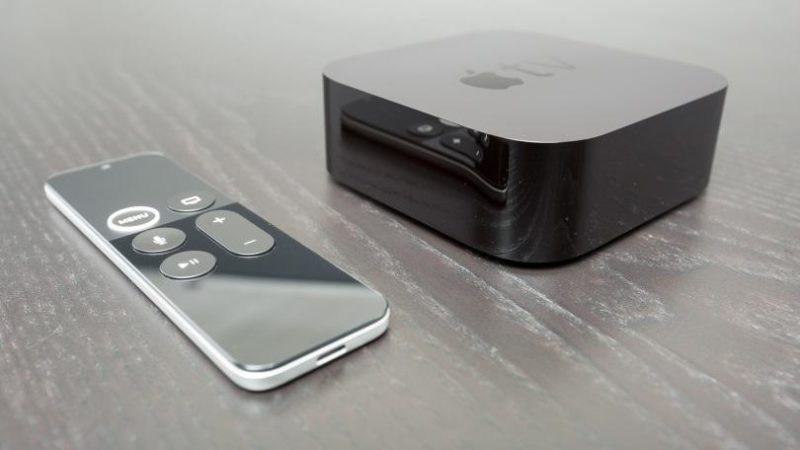
Physically identical to the 1080p Apple TV, the Apple TV 4K is a simple curved black box measuring 1.4 by 3.9 by 3.9 inches and weighing 15 ounces, with a single indicator LED on the front panel and a power connector, HDMI input, and Ethernet port around back. It’s small, squat, and easy to position unobtrusively anywhere around your TV.
Similar Products
The remote is also the same, a slim 4.9-by-1.5-inch black-and-aluminum controller with a clickable touchpad and five buttons: Menu/Back, Home, Microphone, Play/Pause, and Volume Up/Down. The volume controls automatically adjust your TV’s volume, which is very handy. The remote charges via a Lightning connector, and a USB-to-Lightning cable is included. The remote is simple and functional, but I still dislike the touchpad when controlling an icon-based interface. A directional pad is much easier to use unless you’re working with a mouse pointer for fine on-screen control. Your tastes may vary, though.
Best for Apple Users
Like its physical design, the software interface, connected features, and app platform on the Apple TV 4K are all completely unchanged from the previous version. The system is heavily iTunes-centric, letting you access your Apple-based movie, TV, and music libraries on the device with ease. An app store provides access to a growing selection of streaming apps and services, including Crunchyroll, Hulu, Netflix, Sling TV, PlayStation Vue, Vudu, and YouTube. Both Amazon and Google Play’s libraries are notably missing, as is Spotify (but you can listen to streaming radio with the Pandora and iHeartRadio apps, at least).
If you’re an iOS device user, the Apple TV 4K is a huge boon. On top of iTunes library integration (including your own photos if you store them in iCloud), the Apple TV 4K supports AIrPlay screen mirroring and audio streaming from any iOS device. You can also use Siri by holding the microphone button and speaking into the remote. Siri can search for content, answer questions, and even control Apple HomeKit-compatible smart home devices. Of course, these benefits don’t apply if you’re an Android user.
4K and HDR
Select movies and shows on iTunes are available in 4K, with support for high dynamic range…
