
Watch the local news on your iPhone, iPad, or Apple TV without cable – AppleTV 4 Jailbreak (appletv4jailbreak.com)
Being a cord cutter (actually, I’ve never had cable, so I haven’t technically cut any cords), I’m always on the hunt for new ways to keep myself entertained. On Apple TV, I use a handful of apps that, either I subscribe to a streaming service for (like Hulu and Netflix), or offer a free streaming TV feature that doesn’t require a cable subscription (like PBS and The CW).
For those looking for “cable lite” in the form of small packaged cable subscriptions from services like Sling TV and DirecTV Now, we’ve got a list of the best streaming live TV services. Keep in mind, though, that most of these services don’t offer unlimited access to broadcast channels like NBC, CBS, ABC, and Fox. What I’m referring to is the ability to watch any broadcast channel available in your area.
There is also this thing called broadcast television, which anyone can watch as long as they have a TV that supports digital television (or a digital conversion box) and an over-the-air (OTA) HDTV antenna. The thing about broadcast television is that I couldn’t watch it on Apple TV. I’d have to switch my TV input over, and then flip through the channels until I found something to watch. I rarely watched broadcast television because I tend to stick with Apple TV for my TV and movie watching activities.
That is until I got HDHomeRun. With HDHomeRun, not only can I watch live broadcast television on my Apple TV, I can also watch it on my iPhone or iPad. Plus, with a subscription, you can record live TV and watch it the way a person with cable and a DVR would watch TV. Skip those commercials!
There are a few options for broadcast television transmitters, but from my experience, HDHomeRun is the most versatile with other third-party apps like Plex, Emby and Kodi.
I’m going to explain a little bit more about what HDHomeRun is and how to set it up.
See more about HDHomerun and other over-the-air options at CordCutters.com
What is HDHomeRun?
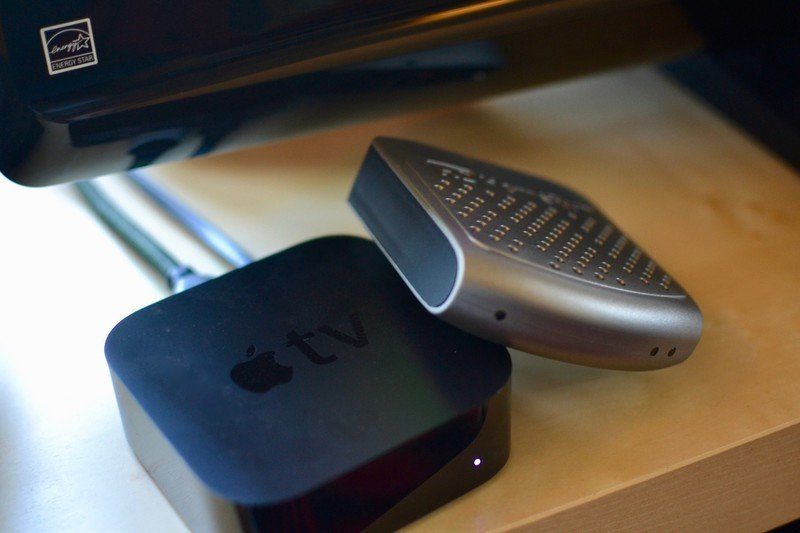
It’s a box, about the size of an Apple TV, maybe a little smaller, that acts as a transmitter. When connected to your internet router and your OTA antenna, it makes it possible for you to watch live TV on any other device that is also using the same internet connection.
Here’s how it works: You connect an ethernet cable to your home’s internet modem. Then, you connect your OTA antenna to it (the antenna does not need to be connected to your TV set). Then, you plug it into a power source.
Then, using the companion app on your iPhone, iPad, or computer, you scan for local channels, just like you do when setting up broadcast television on your TV set. Then, you watch TV.
You…
https://www.imore.com/how-watch-live-tv-your-apple-tv-without-cable
AppleTV 4 Jailbreak (appletv4jailbreak.com)
