
Category: 4K

Best 10 Apps to Watch Movies on Apple TV (2020) – AppleTV 4 Jailbreak (appletv4jailbreak.com)

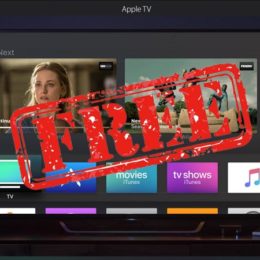
Everybody likes to get something without paying for it and the contentment is doubled when it’s from a firm like Apple. We’re going to help you get access to great free movies on Apple TV but not to get your hopes too high. These don’t immediately release latest theater flicks. But you will find classic shows such as Seinfeld, public domain flicks, documentaries, indie, international films, and much more. Check out below our list of the best apps to watch movies on Apple TV.

The apps mentioned below feature movies from the public domain which means that they’re free to download by the public. Additionally, apps that feature classic films don’t need to resort to money to pay for content. However, latest content released on Apple TV does require a fee. Which is why the apps below such as Crackle and Tubi TV offer superb content. But with short advertisements in between to pay for the service.

1. Tubi TV – Watch Movies & TV Shows

Tubi TV streams new anime the day after it’s released in Japan so that’s great news for anime lovers and it has surprisingly latest movies on Apple TV for an app. Get this app from here.

2. Crackle – Movies & TV

This app sports those short bursts of advertisements we mentioned earlier but the ads are much lesser as opposed to what you’d see on network TV. It’s much more suitable for modern audiences featuring some popular movies of the decade like Rudy, Ali, The Legend of Zorro, Roxanne, Birdy, The Net, The China Syndrome, About Last Night, Crash and La Bamba etc. Get this app from App Store.

3. Free Classic Movies

This is a great app for sifting through the true revolutionary classics like Hitchcock’s The 39 Steps, Charlie Chaplin silent movies, film noir and even cartoons. Download this app for free.

4. Rakuten Viki: TV Dramas & Movies

You can categorize your content in this app featuring international and national channels by choosing your country. Although Viki itself has more content related to China, Korea, Japan, and India. There aren’t any advertisements as far as my own experience is concerned. Get this app from here.

Read Also: How to Install Kodi on Apple TV

5. Public Domain Movies

I personally love this app because it has over a whopping 100 movies that are in the public domain and here’s the best part. You can sort by director, actor, writer, and year, as well as by genre. That’s a game changer and makes everything so easy to search movies on Apple TV. Download this app from here.

6. Popcornflix – Free Movies


https://www.unlockboot.com/apps-watch-movies-apple-tv/
AppleTV 4 Jailbreak (appletv4jailbreak.com)


Forensic Acquisition of Apple TV with checkra1n Jailbreak – AppleTV 4 Jailbreak (appletv4jailbreak.com)
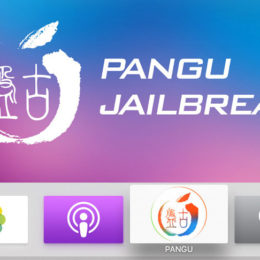
Are you excited about the new checkm8 exploit? If you haven’t heard of this major development in the world of iOS jailbreaks, I would recommend to read the Technical analysis of the checkm8 exploit aricle, as well as Developer of Checkm8 explains why iDevice jailbreak exploit is a game changer. The good news is that a jailbreak based on this exploit is already available, look at the checkra1n web site.

The jailbreak based on checkm8 supports iPhone devices based on Apple’s 64-bit platform ranging from the iPhone 5s all the way up to the iPhone 8 and iPhone X. Unlike previous jailbreaks, this one supports most iOS versions, up to and including iOS 13.2.2 at the time of  this writing. Support for future versions of iOS is also possible due to the nature of this exploit. Most iPads are also supported. Currently, there is no support for the Apple Watch, though theoretically it is possible for Series 1, 2 and 3. The Apple TV series 4 and 4K are supported by the exploit, and a jailbreak for series 4 is already available.

What does that mean for the forensic crowd? Most importantly, the jailbreak can be installed even on locked devices, as it works through DFU mode. That does not mean that you will be able to break the passcode. While you can extract some data from a locked device / unknown passcode, it won’t be much. From the other side, the jailbreak allows to dump the complete image of the file system if the passcode is known. This works for all devices from the iPhone 5s to X, many iPads, and Apple TV 4.

In this article, we will briefly describe how to install the jailbreak on Apple TV and what you can expect out of it.

Installation

First, connect the Apple TV to the power source and establish connection with the computer (using a USB Type-C cable). Then put the Apple TV into DFU mode. It is simple: press and hold both Menu and Play/Pause buttons on the Apple TV remote for about 7 seconds, until the light on Apple TV starts blinking rapidly.

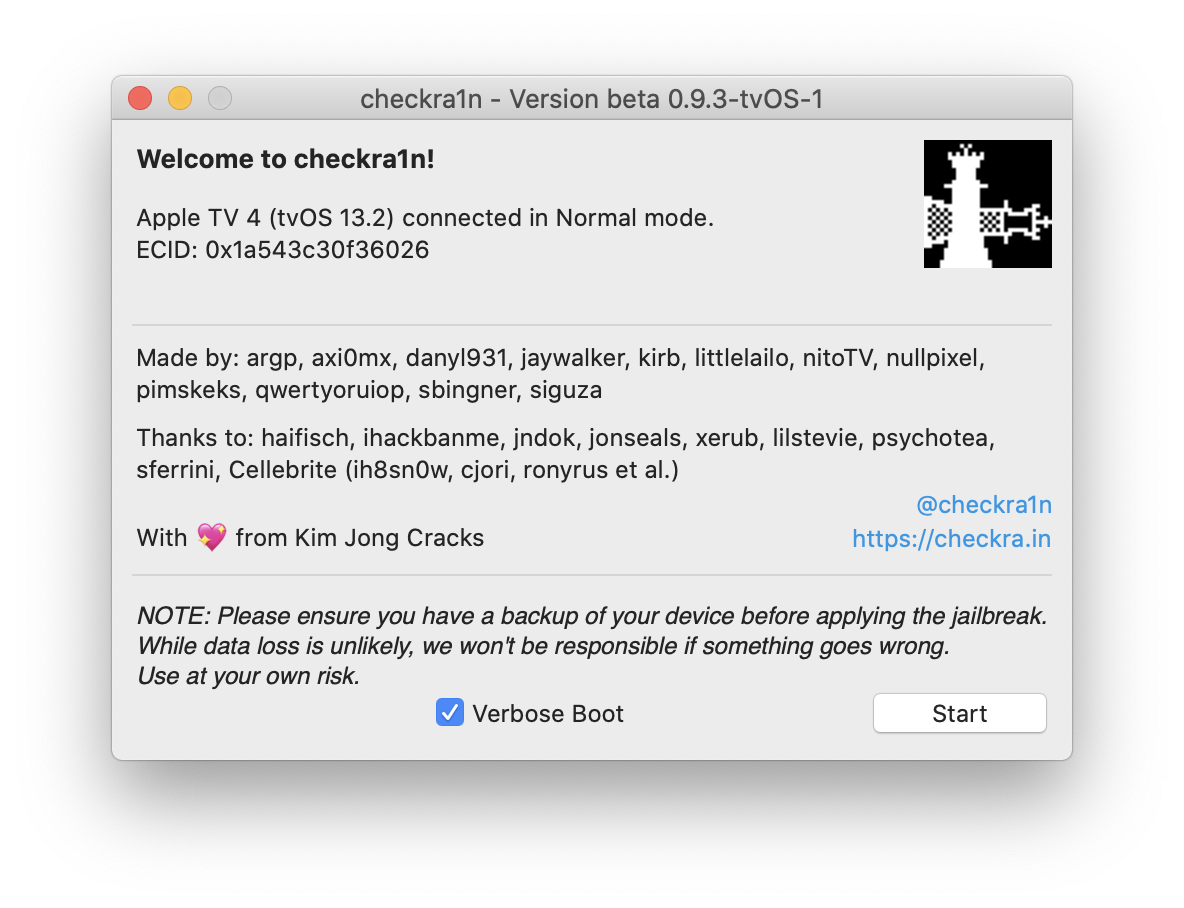
Then, start checkra1n jailbreak on the computer (note that it is available for macOS only for now):

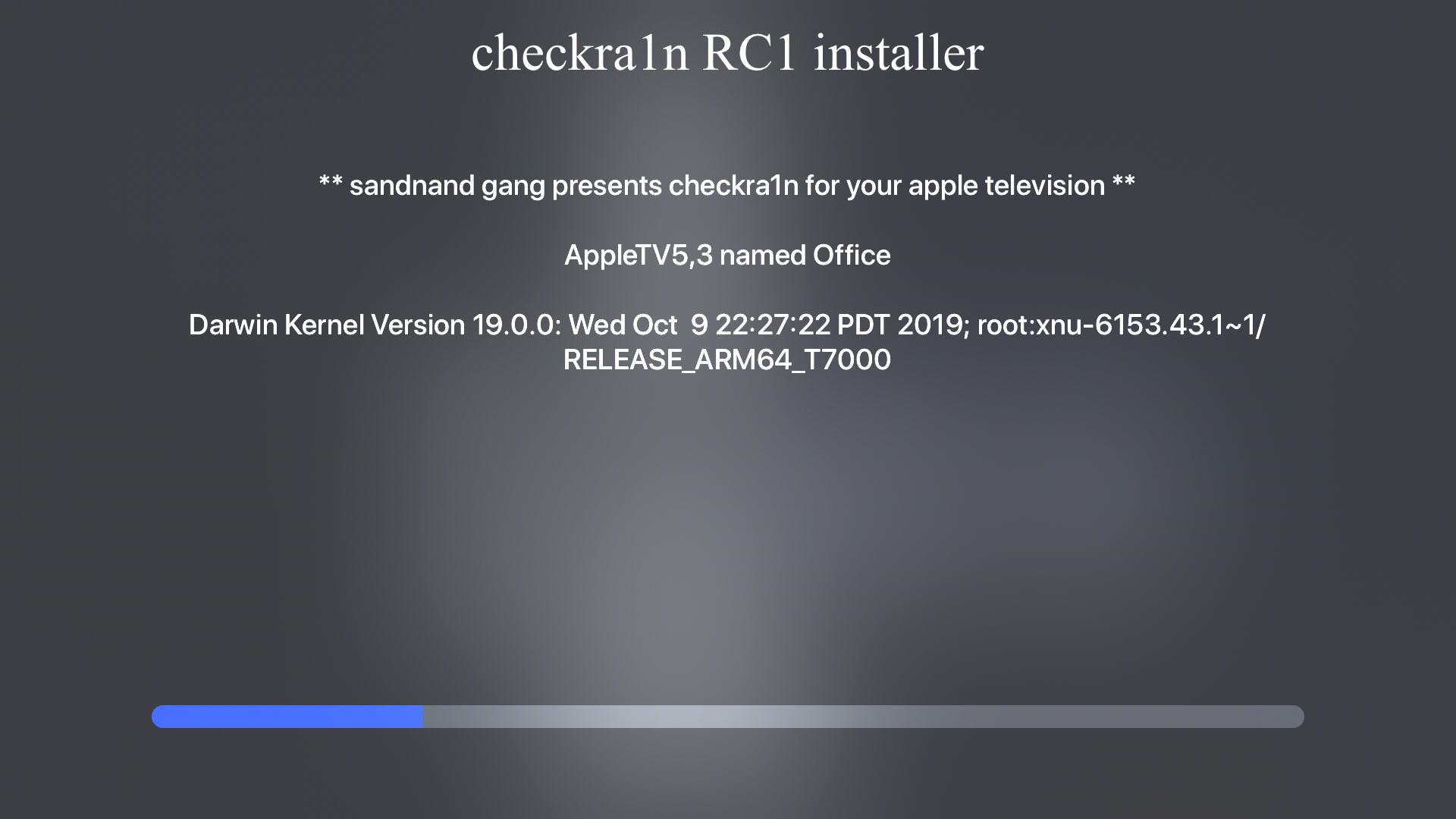
Press Start and follow the instructions; the jailbreak installation starts:

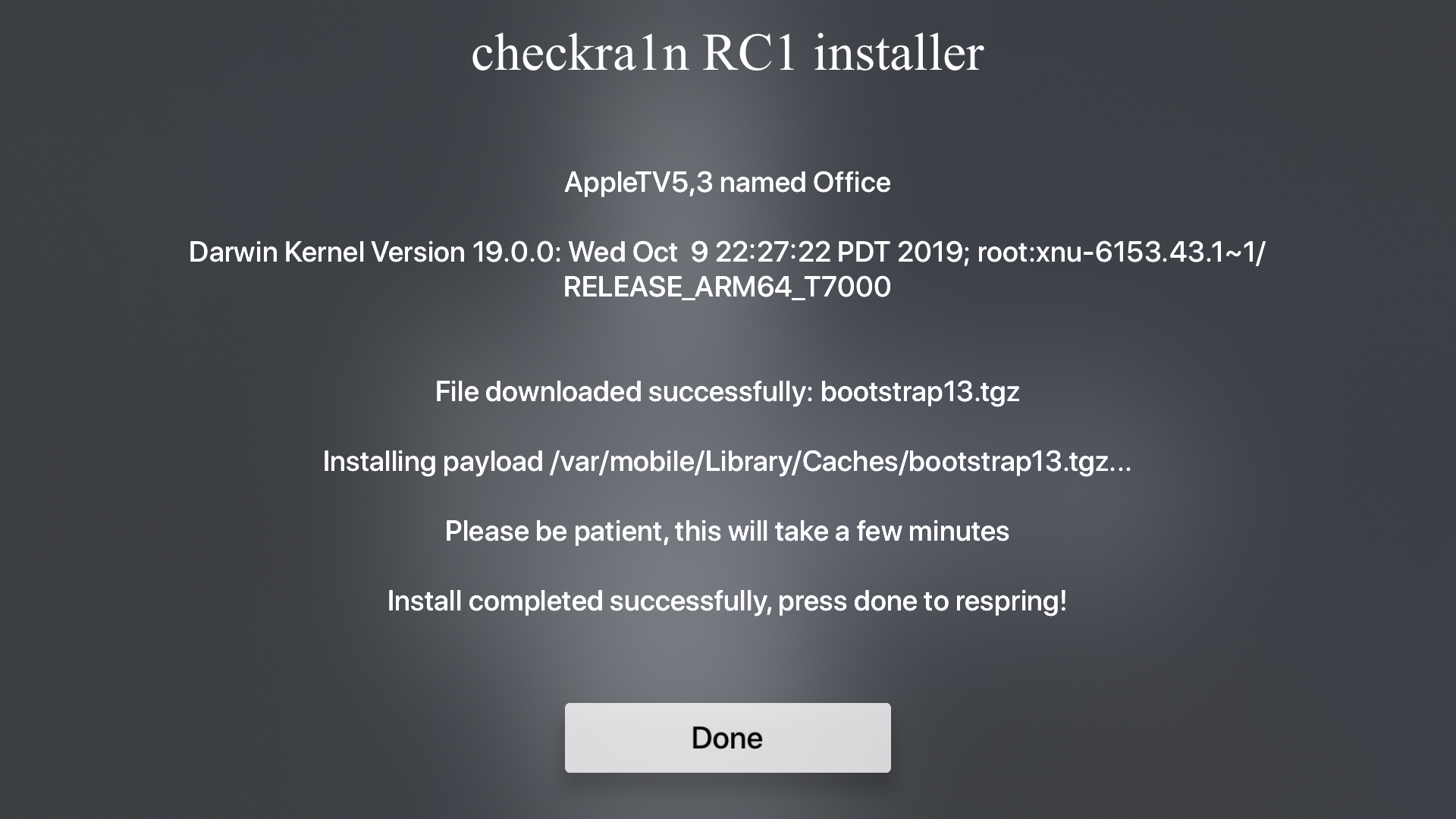
The whole process takes just a few minutes:

Once the jailbreak is installed, the main screen of the Apple TV magically changes. And yes, SSH is there:

That’s it, you can start extracting the data.

Data extraction

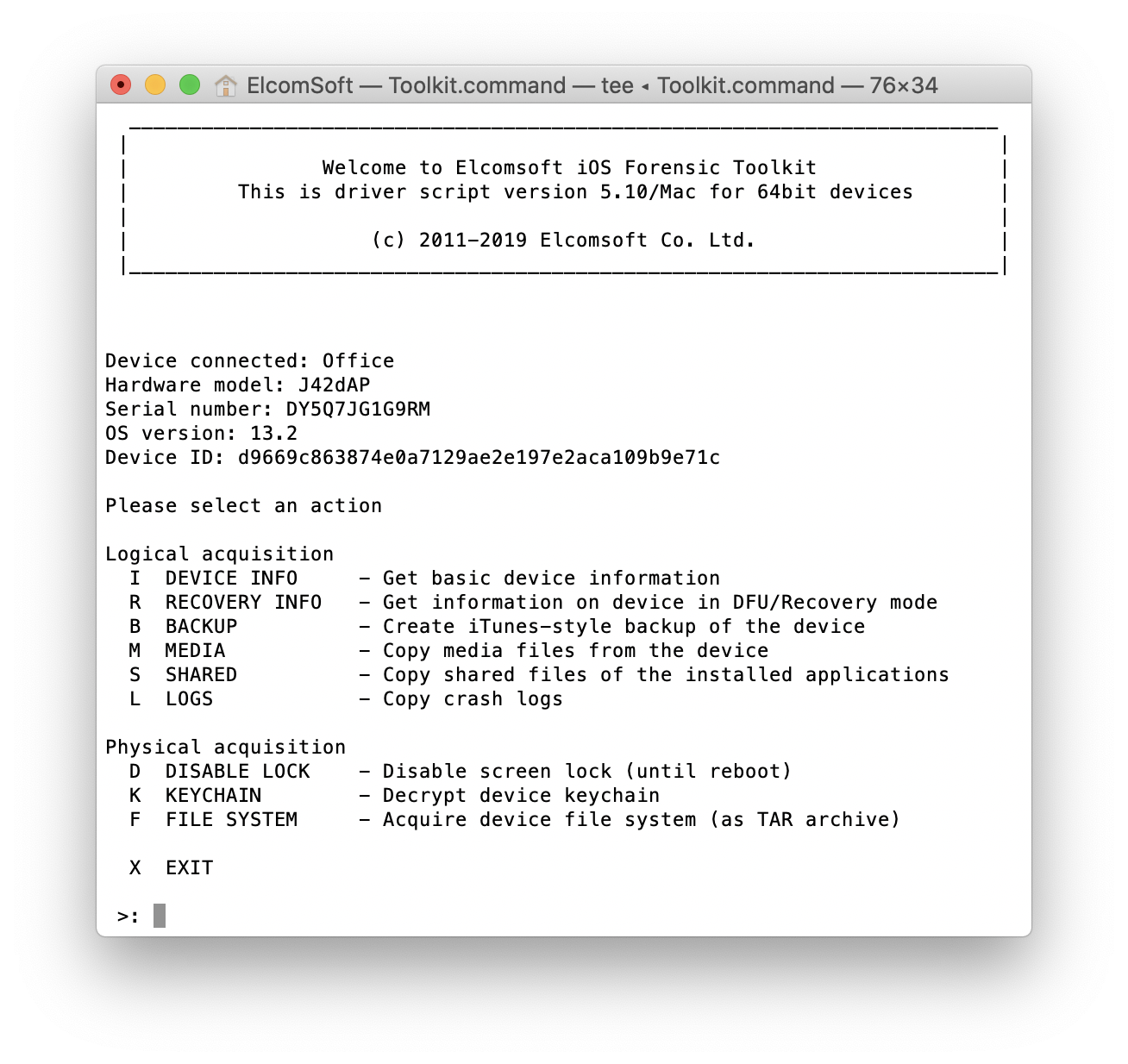
Launch Elcomsoft iOS Forensic Toolkit:

https://blog.elcomsoft.com/2019/11/forensic-acquisition-of-apple-tv-checkra1n-jailbreak/
AppleTV 4 Jailbreak (appletv4jailbreak.com)



Apple Music, Verizon Unlimited Plan Users Get 6 Free Months – AppleTV 4 Jailbreak (appletv4jailbreak.com)
Here’s how you activate your Apple Music subscription:

  • Visit vzw.com/applemusic on your desktop or mobile browser, or “Add-ons” in the My Verizon app under “Account.”
  • Select the lines you want to enroll in Apple Music and accept the Terms and Conditions.
  • Each line will get a text message with a link to download or open the Apple Music app.
  • Once your subscription is activated, you can manage or cancel your subscription through vzw.com/applemusic or in the “Add-ons” section of the My Verizon app under “Account.”

Keep in mind that only Account Owners or Managers can activate Apple Music for any line on the account, so you’ll need their help to activate Apple Music if you’re an Account Member.

https://www.verizon.com/solutions-and-services/apple-music/
AppleTV 4 Jailbreak (appletv4jailbreak.com)



Apple TV Gaming – AppleTV 4 Jailbreak (appletv4jailbreak.com)

Thanks for visiting, but the AfterPad game lists are now closed! Read all about it here: Saying Goodbye

To make a long story short, I’m now working for Gamevice. From now on, I’ll be spending my time to making everything they do even more awesome.

Visit Gamevice Live for the latest MFi games!

https://afterpad.com/appletv/
AppleTV 4 Jailbreak (appletv4jailbreak.com)


checkra1n Jailbreak Tool for iOS 12 up to iOS 13 – AppleTV 4 Jailbreak (appletv4jailbreak.com)
checkra1n jailbreak is the new generation jailbreaking tool based on the permanent unpatchable bootrom exploit called checkm8 by axi0mX. The app can be used to jailbreak all iOS Devices between A5 to A11 including iOS 12.3 up to iOS 13.5. Download checkra1n jailbreak tool for Mac and Linux.

What is checkra1n?

checkra1n is an ultimate jailbreak tool with support for most generations of iOS devices starting from iPhone 4S (A5 chip) to iPhone 8 and iPhone X (A11 chip). All of the devices mentioned are jailbreakable for their entire lifetime. This means every present iOS version and versions that will come in the future.

All A5 to A11 devices are compatible with checkra1n jailbreak. Only the latest devices including iPhone 11 Pro, iPhone 11, iPhone 11 Pro Max, iPhone XR, iPhone XS Max, iPhone XS, and iPhone XS Max are not compatible with checkra1n Jailbreak. Install Cydia app on the latest iOS 13 to 13.3 Version.

checkra1n compatibility (supported devices):

  • A5 – iPad 2, iPhone 4S, iPad Mini (1st generation)
  • A5X – iPad (3rd generation)
  • A6 – iPhone 5, iPhone 5C
  • A6X – iPad (4th generation)
  • A7 – iPhone 5S, iPad Air, iPad Mini 2, iPad Mini 3
  • A8 – Phone 6, iPhone 6 Plus, iPad mini 4
  • A8X – iPad Air 2
  • A9 – iPhone 6S, iPhone 6S Plus, iPhone SE,iPad (2017) 5th Generation
  • A9X – iPad Pro (12.9 in.) 1st generation, iPad Pro (9.7 in.)
  • A10 – iPhone 7 and iPhone 7 Plus, iPad (2018, 6th generation), iPad (2019, 7th generation)
  • A10X – iPad Pro 10.5″ (2017), iPad Pro 12.9″ 2nd Gen (2017)
  • A11 – iPhone 8, iPhone 8 Plus, and iPhone X

Checkm8 is a tethered iOS exploit tool that requires to boot your iPhone after every reboot. It’s the main component for checkra1n jailbreak tool and most importantly it is a lifetime jailbreak exploit and Apple cannot patch it with iOS upgrades. This bug was fixed only in the newest hardware upgrade.

What more you can achieve with Checkm8 exploit? Downgrade or upgrade to any jailbreakable iOS version without SHSH support, checkm8 supports dual-booting (device can be boot to Android) and will work with all upcoming iOS versions released by Apple. A computer is required to jailbreak.

Also, Apple Watch first-gen, and Series 1, 2, and 3 are vulnerable to checkm8 exploit. checkra1n Tool can also bypass jailbreak detection in-app DRM mechanisms. Recently there is news that checkra1n supports also Apple TV (1st, 2nd, 3rd, and 4th generation) on tvOS 13.

The new jailbreak tool was possible thanks to contributors known to the jailbreak community like ih8sn0w, jonseals, pshycotea, qwertyoruiop, nullpixel, xerub, siguza, aregp, axi0mx, and others. checkra1n Jailbreak will allow you to install any package manager (Cydia, Zebra, Sileo, etc.).

checkra1n Jailbreak Tool uses Cydia Substrate, the powerful code modification platform behind Cydia. Substrate makes it easy to modify software, even without the source code. From Cydia package manager you can install tweaks, hacks, libraries, and apps from so-called repositories.

Download checkra1n Jailbreak

You are just a few steps from downloading the checkra1n jailbreak tool…

https://kubadownload.com/news/checkra1n-jailbreak/
AppleTV 4 Jailbreak (appletv4jailbreak.com)


How to get Apple TV Plus for free – AppleTV 4 Jailbreak (appletv4jailbreak.com)

Apple TV Plus is the latest software service from the team at Cupertino, California. The same company that makes iPhones and iPads is asking for $4.99 a month to watch original TV series and movies. Apple hopes to get additional revenue from this service, but what if you don’t want to pay? Is there a way to stream Apple TV Plus for free?

There is! Here are four ways you can watch the exclusive shows and films on Apple TV Plus for free.

Apple TV Plus for free

  1. Seven-day free trial
  2. One year for free
  3. Free with Apple Music for students
  4. Watch certain shows and movies for free

1. Seven-day free trial

The simplest method to get this service for free is to simply sign up for the service and watch it for nothing. Apple is offering a seven-day trial for people who want to test out the new service. Be aware that you will still have to have a credit or debit card on file. That’s because you will be charged $4.99 after the trial period ends if you don’t cancel the service beforehand.

2. One year free trial with Apple device purchase

Credit: Andrew Grush / Android Authority

The second method is perfect for people who were already planning to buy an iPhone. Anyone who purchased or plans to purchase certain hardware products on or after September 10, 2019 will get one year of Apple TV Plus for nothing. This offer covers the purchase of new iPhones, iPads, the iPod Touch, and Apple TV boxes. You can also get this offer when you buy new Mac laptop or desktop PCs.

In order to get this offer, you have to sign up for your Apple TV Plus account within three months of purchasing your device. You have to have a credit or debit card on file. Also, you have to sign up for the free year on your new Apple hardware device. You will be charged after the free year ends if you don’t cancel the account.

3. Apple TV Plus for free with Apple Music student subscription

https://www.androidauthority.com/how-to-get-apple-tv-plus-for-free-1049103/
AppleTV 4 Jailbreak (appletv4jailbreak.com)


Jailbreak Apple TV 4 | Sideload Apple TV – AppleTV 4 Jailbreak (appletv4jailbreak.com)

Learn how to jailbreak your Apple TV 4. Everything you need to jailbreak your Apple TV here. Find out why you should jailbreak your Apple TV 4 and the benefits of a jailbroken device.

What are the benefits of jailbreaking the Apple TV 4?

Jailbreaking your Apple TV 4 gives you full control of the device which includes the ability to install non-App Store apps. Currently, if you do not jailbreak your Apple TV, but choose to use the “sideload” method to install third-party apps, the apps will expire in 7 days and you will need to re-install them again after they expire. However, with a jailbroken device, you will be able to install these apps and use them forever. Apps on a jailbroken device do not expire. Some notable third-party apps includes NitoTV, Kodi (XBMC), emulators, and a web browser.

What you will need:

  • Apple TV 4 (running tvOS 9.0.1 or earlier)
  • Computer running Mac OSX (Macbook, iMac, Mac Mini, Mac Pro, Hackintosh etc.)
  • USB Type-C to USB cable

You do not need a paid Apple Developer account, simply sign in with your Apple ID (or create one if you do not have one).

1. On your Apple TV, go to Settings > System > Software Updates > and turn off Automatically Update

2. Download and install Xcode from the App Store to your Apple computer

3. Open Xcode and select Create a new Xcode project

4. Go to tvOS > Application

5. Select Single View Application and hit Next

6. Name Product Name “Jailbreak” and name Organization Identifier “com.YOURNAME” (replace YOURNAME with your name – no spaces) and hit Next

7. Save Git Repository to your computer

7a. If you see a “No matching provisioning profiles found” (if not applicable, skip):

Hit Fix Issue, log into your Apple ID account, and select your profile

If your Bundle Identifier is not unique, you will need to rename it. Follow the format, com.UNIQUENAME.Jailbreak (replace UNIQUENAME with something else).

8. Download and unzip Pangu Jailbreak for Apple TV and iOS App Signer

9. Run App Signer

9a. If you are getting the “iOS App Signer can’t be opened because it is from an unidentified developer” error (if not applicable, skip):

Right-click App Signer and click Open

10. For the Input File, hit Browse, and select the atvipa.app file in the Payload folder from the Pangu download in step 8. For the Provisioning Profile select the profile you created earlier in Xcode and hit Start

11. Save the .ipa to your computer

12. Connect Apple TV to computer with USB-C cable

13. In Xcode, go…

https://sideloadappletv.com/jailbreak-apple-tv-4/
AppleTV 4 Jailbreak (appletv4jailbreak.com)


unc0ver 5.2.0 / checkra1n iOS 13 – AppleTV 4 Jailbreak (appletv4jailbreak.com)

unc0ver 5.2.0 / checkra1n iOS 13 – 13.5 Jailbreak for iPhone iPad iPod Apple TV Step one,
select iDevice
Select iDeviceiPhoneiPad ProiPadiPad miniiPodApple TVStep two,
select the model
Select iDeviceiPad Pro 12.9″ 4th GeniPad Pro 11″ 2nd GeniPad 7iPod Touch 7Apple TV 4kiPad mini 5iPad Air 3iPad Pro 12.9″ 3rd GeniPad Pro 11″iPad 6iPad Pro 10.5″iPad Pro 12.9″ 2nd GeniPad 5Apple TV 4Apple TV 3Apple TV 2iPod Touch 6iPod Touch 5iPod Touch 4iPod Touch 3iPod Touch 2iPod TouchiPhone SE 2020iPhone 11 Pro MaxiPhone 11 ProiPhone 11iPhone Xs MaxiPhone XsiPhone XriPhone XiPhone 8iPhone 8 PlusiPhone 7 PlusiPhone 7iPhone SEiPhone 6s PlusiPhone 6siPhone 6 PlusiPhone 6iPhone 5siPhone 5ciPhone 5iPhone 4siPhone 4iPhone 3GS iPhone 3GSiPhone 3GiPhone 2GiPad mini 4iPad mini 3iPad mini 2iPad mini 1iPad Pro 9.7″iPad Pro 12.9″iPad Air 2iPad AiriPad 4iPad 3iPad 2iPadStep three,
select iOS version
Select Model

Is your iPhone locked on a carrier? No worries, officialiphoneunlock.co.uk can help you out! Click here for more information about the iPhone unlocking service.

This is me, a CKD – chronic kidney disease – patient and here’s my story. Wanna help out? It’s a hard-knock life for me…

#unc0ver jailbreak for iOS 11 – 13.5 latest release version is: 5.2.0

Download now for: Windows, macOS, Linux.
Official website: unc0ver.dev
#unc0ver iOS 13 jailbreak tutorial

#checkra1n Jailbreak for iPhone 5s though iPhone X, iOS 12.3 and up latest release is: 0.10.2 beta

Download now for: macOS, Linux.
Official website: checkra.in.
#checkra1n iOS 13 jailbreak tutorial

Hi there, fellow jailbreaker!

So I understand you want to jailbreak your iDevice, right? You’re in the right place, because our jailbreakWizard will give you exactly what you need.

Just make sure you select your what type of iDevice you have, it’s model and iOS version and hit the big blue button to check if you can jailbreak!

Unlimited mods

Install as many tweaks and themes you like

Fast jailbreak

2020 jailbreaks are fast and reliable

Jailbreak tutorials

We provide jailbreak tutorials and how-tos

Help jailbreaking

Got stuck? We’ll help you out in the HelpPage

Best of Cydia

We’re building a database with Cydia’s best stuff!

iPhone unlock

Full iPhone unlock service for your locked iPhone!

jailbreakWizard

https://www.jailbreakwizard.net/
AppleTV 4 Jailbreak (appletv4jailbreak.com)


Should I jailbreak my Apple TV and How? – AppleTV 4 Jailbreak (appletv4jailbreak.com)

If you have an existing TV setup, then you can definitely make it better by getting an Apple TV. What makes the Apple TV great is the fact that you can actually do a lot of things with it. For instance you can use it to play movies, music, and videos from your iPad, iPhone via AirPlay. However, you can also browse through thousands of games and apps that can be easily accessed from the App Store. To access them directly from your TV though, you need to have a 4th generation Apple TV. Older generations support less features and you’ll generally be able to playback media and nothing more.

However, if you jailbreak apple tv, then that’s a different story. After you’ve jailbroken your Apple TV, you can proceed to install a wide range of systems, services, and applications on it that make it a lot more appealing even than the latest Apple TV.

Should you jailbreak your Apple TV?

While generally people are interested to know whether they should jailbreak their iPhone (there are many pros and cons to doing that), there are significantly less cons to jailbreaking your Apple TV. As for the pros, there are more than you can imagine.

Here are some of the most popular apps you can install once you’ve jailbroken your Apple TV:

aTV Flash (black): What makes this app great is the fact by that using it you can actually play a wide range of video format on your Apple TV. One example is the popular .mkv format. You can also use unofficial applications and also browse the internet.

Kodi: Kodi is an entertainment hub that allows you to mostly play podcasts, videos, and music. It also enables PVR functionality, meaning that on top of watching TV, you can also record your favorite shows, etc.

Jailbreaking your Apple TV

One of first things you need to know if you want to jailbreak apple tv is that you need to have the right model. If you do, then jailbreaking it is very simple. For instance, if you have the first generation Apple TV, you can jailbreak it by using Rowmote. The second generation is also easy to jailbreak, but we’ll cover more about that below.

Now, if you have an Apple TV 2nd generation and want to jailbreak it, here is how you can do it:

Those lucky owners if a 2nd Generation Apple TV should be happy, since they can actually jailbreak it. To do this, you first of all need to go online and look for Seas0nPass. We recommend you get the tools from the FireCore website. Once you get the tools, you have to follow the steps below:

  1. Unrar the software and copy it to your Applications folder.
  2. Get a micro USB cable and connect your Mac to your Apple TV.
  3. Launch the jailbreaking software and then click on Create IPSW.
  4. When prompted, you need to press the Menu and Play buttons on the Apple TV’s remote control. You should press…

https://www.appletvhacks.net/2017/01/08/jailbreak-apple-tv/
AppleTV 4 Jailbreak (appletv4jailbreak.com)


Apple TV (Fire TV variant) 1.1 APK Download by Apple Inc. – AppleTV 4 Jailbreak (appletv4jailbreak.com)

Have an APK file for an alpha, beta, or staged rollout update? Just drop it below, fill in any details you know, and we’ll do the rest!

On Android, you can use ML Manager, which has built-in support for uploading to APKMirror.

NOTE: Every APK file is manually reviewed by the AndroidPolice team before being posted to the site.

ERROR:

SUCCESS: Your files have been uploaded, please check if there were any errors.

https://www.apkmirror.com/apk/apple-inc/apple-tv-fire-tv-variant/apple-tv-1-1-release/apple-tv-1-1-android-apk-download/
AppleTV 4 Jailbreak (appletv4jailbreak.com)


Buy VPN