
Category: 4K

Watch the local news on your iPhone, iPad, or Apple TV without cable – AppleTV 4 Jailbreak (appletv4jailbreak.com)

Being a cord cutter (actually, I’ve never had cable, so I haven’t technically cut any cords), I’m always on the hunt for new ways to keep myself entertained. On Apple TV, I use a handful of apps that, either I subscribe to a streaming service for (like Hulu and Netflix), or offer a free streaming TV feature that doesn’t require a cable subscription (like PBS and The CW).

For those looking for “cable lite” in the form of small packaged cable subscriptions from services like Sling TV and DirecTV Now, we’ve got a list of the best streaming live TV services. Keep in mind, though, that most of these services don’t offer unlimited access to broadcast channels like NBC, CBS, ABC, and Fox. What I’m referring to is the ability to watch any broadcast channel available in your area.

There is also this thing called broadcast television, which anyone can watch as long as they have a TV that supports digital television (or a digital conversion box) and an over-the-air (OTA) HDTV antenna. The thing about broadcast television is that I couldn’t watch it on Apple TV. I’d have to switch my TV input over, and then flip through the channels until I found something to watch. I rarely watched broadcast television because I tend to stick with Apple TV for my TV and movie watching activities.

That is until I got HDHomeRun. With HDHomeRun, not only can I watch live broadcast television on my Apple TV, I can also watch it on my iPhone or iPad. Plus, with a subscription, you can record live TV and watch it the way a person with cable and a DVR would watch TV. Skip those commercials!

There are a few options for broadcast television transmitters, but from my experience, HDHomeRun is the most versatile with other third-party apps like Plex, Emby and Kodi.

I’m going to explain a little bit more about what HDHomeRun is and how to set it up.

See more about HDHomerun and other over-the-air options at CordCutters.com

What is HDHomeRun?

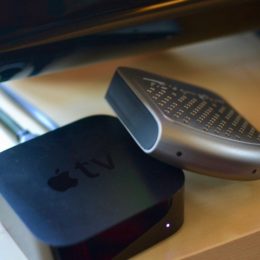
It’s a box, about the size of an Apple TV, maybe a little smaller, that acts as a transmitter. When connected to your internet router and your OTA antenna, it makes it possible for you to watch live TV on any other device that is also using the same internet connection.

Here’s how it works: You connect an ethernet cable to your home’s internet modem. Then, you connect your OTA antenna to it (the antenna does not need to be connected to your TV set). Then, you plug it into a power source.

Then, using the companion app on your iPhone, iPad, or computer, you scan for local channels, just like you do when setting up broadcast television on your TV set. Then, you watch TV.

You…

https://www.imore.com/how-watch-live-tv-your-apple-tv-without-cable
AppleTV 4 Jailbreak (appletv4jailbreak.com)
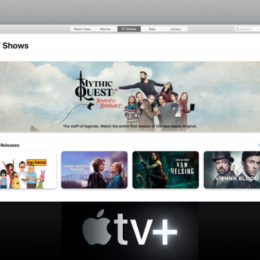
Use Bluetooth accessories with your Apple TV – AppleTV 4 Jailbreak (appletv4jailbreak.com)

Pair a Bluetooth accessory

  1. Put your Bluetooth accessory in pairing mode using the instructions that came with it.
  2. On your Apple TV, go to Settings > Remotes and Devices > Bluetooth. Your Apple TV will search for nearby Bluetooth accessories.

  3. Choose your Bluetooth accessory. 
  4. If asked, enter a four-digit code or PIN. On your Apple TV, your accessory should now appear in My Devices. 

Unpair a Bluetooth accessory

On your Apple TV 4K or Apple TV HD, go to Settings > Remotes and Devices > Bluetooth. Select your accessory, then select Unpair Device.

Use a Bluetooth keyboard

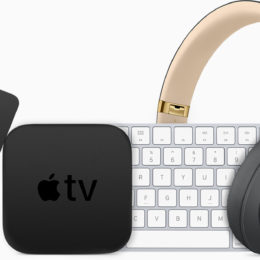
After you pair a Bluetooth keyboard, you can use it to sign in to apps, enter text while searching for content, and more.

  • Use the arrow keys to navigate menus or the Home screen.
  • Press Return to make selections.
  • Press the spacebar to play or pause content.
  • Press Escape to go back or exit an app.

Use more than one Bluetooth accessory

Your Apple TV 4K or Apple TV HD can support several Bluetooth accessories simultaneously, up to this many:

  • One Siri Remote or Apple TV Remote*
  • One Bluetooth keyboard
  • Four MFi (Made for iOS) Bluetooth controllers (Unless you also connect a Bluetooth audio accessory. If so, you can connect only one MFi controller).

You might be able to pair more accessories, but at some point you may need to unpair others to allow for new ones. Some apps let you use an iOS device as an additional controller, which doesn’t require Bluetooth. For help using an iOS device as a controller in an app, contact the app developer.

Get help

If a Bluetooth accessory won’t connect to your Apple TV 4K or Apple TV HD or loses connectivity during use, follow these steps. After each step, see if you still need help:

  1. Make sure that you’re in range of your Apple TV and there isn’t interference in the area.
  2. Check that your accessory is fully charged and powered on.
  3. Make sure that the software on your Bluetooth accessory and your Apple TV is up to date. For example, if you have Beats wireless headphones, check for firmware updates.
  4. Move your Apple TV to a different location near your television.
  5. Look for your accessory in Settings > Remotes and Devices > Bluetooth. If you see it but you can’t connect to it, use the steps above to unpair your accessory. Then try to pair it again.
  6. If you need more help connecting or using a Bluetooth accessory with your Apple TV, contact the manufacturer of the accessory.

*Apple TV 4K and Apple TV HD ships with the same remote everywhere. In countries and regions that support Siri, the remote is called Siri Remote. Elsewhere, it’s called Apple TV Remote. Siri works on either remote as long as your Apple TV 4K or Apple TV HD is set up with a language and country or region that supports Siri.

Published Date: September 24, 2019

https://support.apple.com/en-us/HT205302
AppleTV 4 Jailbreak (appletv4jailbreak.com)


Apple TV at AT&T – AppleTV 4 Jailbreak (appletv4jailbreak.com)
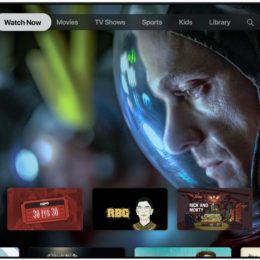
  • Apple TV 4K

    Shop now

  • Apple TV 4th Generation

    Shop now

Trade in. Get rewards.

Your old devices can:

  • Get you credits toward a new Apple TV
    Support military families
    Help you go green
     

Learn more

Setup & support

Get help setting up your new Apple TV and support for tech issues.

Learn more

https://www.att.com/brand/apple/tv/
AppleTV 4 Jailbreak (appletv4jailbreak.com)


Free Apple TV Plus: The cheapest ways to get it – AppleTV 4 Jailbreak (appletv4jailbreak.com)
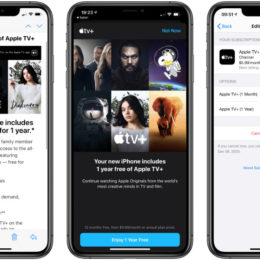
Apple TV Plus is offering a free year to those who purchase certain new devices. 

Screenshot/CNET This story is part of Apple Event, our full coverage of the latest news from Apple headquarters.

If you thought the recent Disney Plus deal was good, get a load of this: Apple is offering a free year of its new Apple TV Plus streaming service with the purchase of a new — or refurbished — iPhone, iPad, Apple TV, Mac or iPod Touch ($170 at Amazon). As we now know, Apple TV Plus will cost $4.99 a month, so this is a $60 freebie. That kind of largesse is pretty rare coming from Apple.

Why the generosity? Because even at $5 per month, the company is probably going to have a hard time attracting subscribers to its nascent service. Unlike Disney Plus, which will debut in November with an embarrassment of movie and TV riches, Apple TV Plus currently has just nine titles lined up. All originals, all pretty high-profile, but still.

Now playing: Watch this: Apple shows more of See starring Jason Momoa

3:21

We can debate the merits and future of Apple TV Plus later. Right now, you might be wondering how little you can spend to score that free year. First thing you should know: The offer is “not restricted to any specific sales channel,” meaning it doesn’t matter where you buy your eligible device. As long as it’s activated from today forward, it should net you the free subscription once Apple TV Plus launches Nov. 1.

The least expensive devices in Apple’s eligible-device lineup are the Apple TV and iPod Touch, followed by the iPad. And the cheapest deals on these items are typically found in the Refurbished section of Apple’s online store. As you may know, this section is home to a wide range of refurbished products, many of which are quite literally good as new (right down to the battery and warranty).

Apple Report

All the latest Apple news delivered to your inbox. It’s FREE!

Here, then, are the three cheapest free-Apple-TV-Plus-eligible options. Note that CNET may get a share of revenue from the sale of the products featured on this page.

Make no mistake: I’m not saying you should buy any of these devices just to get free Apple TV Plus. But if there’s a new device in your future anyway, you might as well take advantage of this offer. (Apple hasn’t yet announced an end date.)

Your thoughts?

Apple Event: See the iPhone 11 and Apple Watch Series 5

See all photos

CNET’s Cheapskate scours the web for great deals on tech products and much more. For the latest deals and updates, follow the Cheapskate on Facebook and Twitter. Questions about the Cheapskate blog? Find the answers on…

https://www.cnet.com/how-to/the-cheapest-way-to-get-apple-tv-plus-for-free/
AppleTV 4 Jailbreak (appletv4jailbreak.com)


What Apple TV shows are free? – AppleTV 4 Jailbreak (appletv4jailbreak.com)

You can find the Apple TV app on a range of different devices: from your iPhone to your Samsung Smart TV. But the Apple TV app doesn’t make it immediately clear what shows you can watch for free.

That’s what we’re here to show you.

Contents

  • 1 Is the Apple TV app free to use?
  • 2 Can I watch Apple TV+ for free?
  • Related:

    Is the Apple TV app free to use?

    The Apple TV app itself is completely free. But this app is merely a portal to access video content from a range of other services, most of which require a subscription or a separate purchase.

    For instance, if you want to watch something from HBO Now or SHOWTIME, you need an active subscription to those services.

    The Apple TV app shows a mix of paid and free content.

    That said, some ad-supported services let you watch their content for free. The Apple TV app often lists these services alongside paid content, so it isn’t always clear what is and isn’t free.

    What’s more, you usually need to use the dedicated app for each service when you want to watch its shows anyway. Think of the Apple TV app more like a high-tech TV guide.

    What can I watch for free on Apple TV?

    The shows you can watch for free vary based on the country or region you’re in. Here in the UK, you can watch anything on BBC iPlayer, ITV Hub, All 4, and My5 for free. In the US, you’re likely to have different options.

    The Apple TV app includes free channels, like ITV.

    To find out if a show is free to watch, tap it from the Apple TV app. You should see a blue button linking to the app that show is on, this usually says if you can play an episode or if you need to pay for it first.

    Can I watch Apple TV+ for free?

    Apple TV+ is Apple’s subscription streaming service, and the only place to watch Apple’s original shows, such as The Morning Show, For All Mankind, or See.

    Apple TV+ isn’t free, but it is quite easy to get a free trial to watch those shows.

    If you’ve never used the service before, you can get a free seven-day trial by signing up in the Apple TV app. Even better than that, you get an entire year of Apple TV+ for free when you purchase any of the following products:

    • iPhone
    • iPad
    • iPod touch
    • Apple TV
    • Mac

    After making the purchase, the Apple TV app should prompt you to activate your one-year trial. If it doesn’t, go to…

    https://appletoolbox.com/what-apple-tv-shows-are-free/
    AppleTV 4 Jailbreak (appletv4jailbreak.com)


    The best Apple Arcade games for iPhone, iPad and Apple TV – 2020 – AppleTV 4 Jailbreak (appletv4jailbreak.com)

    If you subscribed to Apple Arcade and don’t know which of the 100-plus titles are the absolute best games to download – we can help. We’ve spent time working through every Apple Arcade game on the service, and have sorted out the very best that the service has to offer so that you can jump right into the good stuff.

    The list of the best Apple Arcade games should include something for everyone, from fast-paced skill games to relaxing, thoughtful experiences that the service has become so well known for. We’ll make the case for each game below, but any and all of the games you’ll see are worth your time and valuable disk space.

    So whether you’re settling down with your iPhone, or fancy firing up your Apple TV with a connected gamepad, there are superb premium gaming experiences waiting for you – though, you can always check out our round-up of the best iPhone games if you want some more choices to pick from.

    (Image credit: Apple)

    Genre: Platformer
    Best played with: Apple TV

    The latest and greatest game to enter Apple Arcade’s stable of titles is Crossy Road Castle, a lighthearted multiplayer platformer in a procedurally generated castle. The game is similar in spirit to the original Crossy Road in that it’s mostly about getting as far as you can while having a laugh rather than reaching the end of the castle. The multiplayer component allows up to four players cooperate locally, which definitely adds to the hilarity of it all. 

    (Image credit: Apple)

    Butter Royale

    Genre: Battle royale
    Best played with: iPhone

    If you’ve got little ones, you’ve no doubt heard of Fortnite – the biggest battle royale game on the planet that puts 100 players against one another in a big open arena. That game is great for gamers of a certain age, but for littler ones, even Fortnite might be a bit too much. For that crowd there’s Butter Royale, a food-based battle royale game that swaps sub-machine guns for croissant launches and ketchup bottles. This one keeps all the core tenets of what makes battle royale games so fun but puts it in a PG-rated package for everyone to enjoy.

    (Image credit: Finji)

    Overland

    Genre: Strategy
    Best played with: iPad

    An isometric turn-based strategy game set in a post-apocalyptic America, Overland sees you try to cross from the East to West Coast in a bid for survival. Cue scavenging for petrol, aiding other lost travelers, and escaping giant burrowing insects. You know, a normal road trip.

    (Image credit: Apple)

    Skate City

    Genre: Sports
    Best played with: iPhone

    While Tony Hawk’s Pro Skater was all about impossible tricks in ludicrous environments, later skating games like Skate focused more on the fundamentals of boarding and the laid-back attitude that the sport still exudes in places like Southern California. Skate City from Agens Games takes that idea and fits it into a pocket-sized mobile game that has you kickflipping over staircases and grinding on rails…

    https://www.techradar.com/news/best-apple-arcade-games
    AppleTV 4 Jailbreak (appletv4jailbreak.com)


    How to Jailbreak Apple TV 3rd Generation (Quick Guide) » Best Cydia Sources – AppleTV 4 Jailbreak (appletv4jailbreak.com)

    October 13, 2016 By admincydia

    Apple TV has been quite popular in the whole of the world. The apple tv really created a quite a bit of hype when it was first launched and now to it is doing the same right now. And all the people who own the apple TV right now are most probably eager to jailbreak their devices in order to get a lot more from their piece of hardware that is lying on the shelf with probably no use other than that for streaming purposes.

    The Apple TV can do much more than that most probably, and if you work the way around It. You too can have your APPLE TV do the stuff it deserves to. The apple TV is a piece of hardware that can be used to all your benefits and you can use it to your benefits.

    The jailbreak is really very good and is so easy to do that you can do it without any hassles quite easily on your own. This jailbreak will not only give you the benefits of installing a lot of apps on your APPLE TV but also having the ability to download and install third-party apps too. The jailbreak will give you access to Cydia as well as other apps such as vShare as well as and also having other apps such as Megabox HD ,Cinemabox. The jailbreak will make everything quite easy for you and also help you to get all your desired apps and games for free.

    Read :- How to Jailbreak iOS 9.3.4

    Benefits of Jailbreaking :- Apple TV 3rd Generation

    So let’s have a look at the benefits of having to jailbreak your APPLE TV such as the one that you may be owning and also the steps are quite same for everyone and also for each and every version of the device that are available already

    • The jailbreak will allow you to use XMBC that is a service to get streaming for free on your device.
    • The jailbreak will make installing apps on your TV easier and also easier to use.
    • You can install 3rd party apps like Popcorn time, ShowBox and also MovieBox for free without any potential errors and risk.
    • It is free to do so and can be done quite easily for many benefits.

    Step by Step Method To Jailbreak your Apple TV

    Well, that’s enough benefits that we have labeled now already so let’s have a look at what all can be done now and you are necessarily required to follow these steps(this jailbreak is just for APPLE TV4 with TVOS 9 or 9.1 with SSH accesses) –

    The things necessary are –

    • 4th gen Apple TV
    • USB-C cable
    • Xcode
    • Mac
    • Apple ID account with sideloading privileges
    • Pangu jailbreak tool
    • IOS app signer for you TV

    Steps :- To Jailbreak

    • Connect the apple TV to your MAC using USB-C cable.

    https://www.bestcydiasources.com/1039/jailbreak-apple-tv-3rd-generation/
    AppleTV 4 Jailbreak (appletv4jailbreak.com)


    Apple TV+ trial: how to claim your free 1-week or 1-year offer – AppleTV 4 Jailbreak (appletv4jailbreak.com)

    Apple TV+, the iPhone maker’s original video service, began streaming November 1, 2019. It comes with a free seven-day trial for those who would like to sample what Apple TV+ has to offer, but that’s not the only free tier offered. Follow along with iDB as we show you all the ways you can get free access to Apple TV+, albeit for a limited time only.

    Apple TV+, briefly

    Apple TV+ is priced at five bucks per month.

    Apple wants as many people as possible to sign up so they’ve created free trials for new customers, not unlike free trials on Netflix, HBO and similar services. Aside from these, students subscribed to the Apple Music student plan can enjoy Apple TV+ for free for a year. Plus, folks who purchase a new Apple device are treated to one year of Apple TV+ for free.

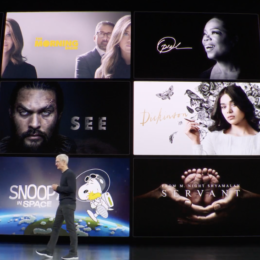
    Apple TV+ shows, clockwise: “For All Mankind”, “Morning Show”, “See” and “Dickinson”/

    Apple TV+ is available in over a hundred countries and regions. For the full list of markets where Apple TV+ is currently available, please peruse Apple’s support document.

    Further details about Apple TV+ are available on Apple’s website.

    Ways to get free Apple TV+

    The following free offers are available:

    • 7-day free trial available to everyone.
    • 1-year free trial available to new Apple device owners.
    • 1-year free trial available to those on the Apple Music student plan.

    How to get 1-week free Apple TV+ trial

    Apple provides a seven-day free trial for everyone. The promotion gives everyone interested in the service a nice risk-free way of sampling what the full Apple TV+ subscription offers, but without paying anything.

    Here’s what you must do in order to claim this offer:

    1) Launch the TV app on your iPhone, iPad, iPod touch, Mac or Apple TV.

    2) Navigate to the Watch Now tab.

    3) Scroll down until you reach the Apple TV+ banner, then click it.

    4) Choose “Try Apple TV+ Free”, then confirm the operation to start your 1-week free trial.

    After the trial has ended, your $5 per month subscription shall start immediately.

    How to get 1-year free Apple TV+ trial with new Apple device

    New Apple hardware purchases made starting September 10, 2019 can take advantage of a 1-year free trial. Check out the list of devices that are eligible for this promotion:

    • iPhone
    • iPad
    • iPod touch
    • Mac
    • Apple TV

    The following caveats apply in terms of this particular trial.

    • Limited time: This offer is available for a limited time only.
    • 3-month window: You must claim this offer within three months after first setting up your newly purchased Apple…

    https://www.idownloadblog.com/2019/11/01/free-apple-tv-trial-tutorial/
    AppleTV 4 Jailbreak (appletv4jailbreak.com)


    Apple TV 2 Jailbreak: iOS 5.3 Untethered – AppleTV 4 Jailbreak (appletv4jailbreak.com)

    Apple has three generations of Apple TV set-top streaming boxes. But only the Apple TV and Apple TV 2 jailbreak is possible. Having a jailbroken Apple TV 2 allows many cool features like running ATV Flash, XBMC and many other interesting apps and tweaks that make the Apple TV 2 jailbreak worth it.


    Read more articles about the Apple TV Jailbreak:


    The Apple TV 2 already is a great device with so many wonderful features. But with the Apple TV 2 jailbreak, the value of the Apple TV 2 is on a different level. There is a release by FireCore, the creators of the Seas0nPass Apple TV jailbreak tool, released an untethered jailbreak for iOS 5.3. Watch the YouTube video below to see how you can jailbreak your Apple TV 2


    This jailbreak works with iOS 5.3 on Apple TV 2. It allows for tethered and untethered options that the Apple TV 2 jailbreak did not have before. Now the new features allow users to reboot the Apple TV without having to have a computer handy to perform a tethered boot. An untethered jailbreak is always more desirable when compared to a tethered jailbreak, because it doesn’t require a computer when rebooting the device.

    This jailbreak method only works for the second generation Apple TV. You can still jailbreak the first generation Apple TV, but the newest Apple TV 3rd generation can’t be unlocked at this time. Since the Apple TV 3 doesn’t have jailbreak capabilities, used Apple TV and Apple TV 2 prices are much more expensive than the Apple TV 3 because of the jailbreak feature. You can still find an Apple TV 2 used models on Amazon, eBay or even Craigslist.


    How to jailbreak the Apple TV 2 (untethered) running iOS 5.3:

    1. Download the latest version from the Seas0nPass website.
    2. Connect your Apple TV 2 to your Mac using a USB micro cable. (NOTE: You should see a flashing white LED light on the front of the Apple TV.
    3. Open the downloaded Seas0nPass.zip file and place it in the “Applications folder”.
    4. Go to the Applications folder, right-click on Seas0nPass.app, and select open. If you’re promoted with another open dialogue, click open again.
    5. After you have opened Seas0nPass, Select “Create IPSW” and the software will start downloading.
    6. After a few minutes you need to press the “Menu+Play/Pause” buttons on your remote control simultaneously for seven seconds.
    7. release the “Menu+Play/Pause” buttons, and then the jailbreak should be completed.
    8. After the jailbreak is finished, select “Done” on Seas0nPass.
    9. Connect your Apple TV 2 to your television using the HDMI port, and plug in the power cable.
    10. Set up the Wi-Fi connection and then you should see the “FireCore” logo on the Settings app.


    https://www.techjunkie.com/apple-tv-2-jailbreak-ios-5-3-untethered/
    AppleTV 4 Jailbreak (appletv4jailbreak.com)


    You Can Still Get a Free Year of Apple TV+ Even If You’ve Already Subscribed (Here’s How) – AppleTV 4 Jailbreak (appletv4jailbreak.com)

    If you’ve already signed up as a paying subscriber to Apple TV+, you’ll be happy to know that you can still take advantage of Apple’s offer of a free year of the service with the purchase of an eligible Apple device.

    When Apple officially announced the launch details for Apple TV+ back in September, the company promised that it would offer a year of the service to anybody who purchased certain new Apple devices after Sep. 10. However, it’s significant that Apple never called this a “free trial” of Apple TV+, but simply said that it was giving away a free year of the service.

    In other words, unlike traditional free trials, this means that Apple is offering the one year regardless of whether you’re already a subscriber or not. So even if you jumped into an Apple TV+ paid subscription right on Nov. 1, you can still claim your free year of service if you bought a new Apple device after that.

    So if you picked up a new iPhone or Apple TV during Black Friday, or you’re planning to put an iPad or MacBook under the tree, it will still include a free year of Apple’s streaming service.

    The especially good news is that you don’t have to try and finagle the free year out of Apple by doing things like cancelling your existing subscription and signing up again.

    Although there’s no obvious way to initiate the free year once you’re already a subscriber, after you’ve set up and registered your new Apple device with your Apple ID, an email should arrive within a few days offering you the free trial.

    1. Wait for the Start Your Free Year of Apple TV+ email to arrive.
    2. From your iPhone, iPad, or Mac, tap the Start 1 Year Free button in the email. This should open the “TV” app on your device, taking you to a page where you’ll be offered the free trial.
    3. Tap the Enjoy 1 Year Free button on that page.
    4. Confirm the “purchase” with Face ID, Touch ID, or your Apple ID password.

    After doing this, you should see a confirmation that a free year has been added to your subscription, and your renewal date has been adjusted accordingly. This means that you won’t lose any time that you already paid for — if you’re on a month-to-month subscription, whatever remains in your current month is still included, and if you’ve already paid for a yearly subscription, your renewal date will be pushed off into 2021 — following the end of the year you’ve already paid for.

    For example, in our case we were offered the free trial on Dec. 4 (following the purchase of a new iPhone 11 Pro Max on Nov. 28), but like everyone else who signed up for Apple TV+ immediately on Nov. 1, our renewal date lands on the 8th of the month — the day after the seven-day free trial ended. Hence, after adding the free one year, our Apple TV+ service will next be billed on Dec. 8, 2020.

    So even…

    https://www.idropnews.com/news/you-can-still-get-a-free-year-of-apple-tv-even-if-youve-already-subscribed-heres-how/124498/
    AppleTV 4 Jailbreak (appletv4jailbreak.com)


    Buy VPN