
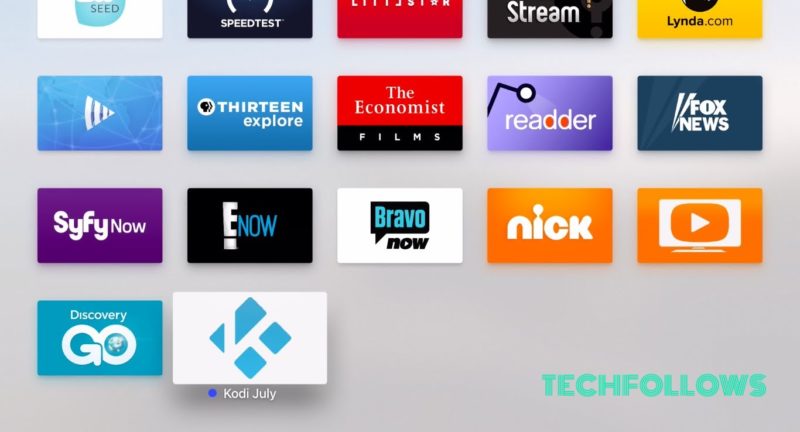
How to Install Kodi on Apple TV Without Jailbreak [2020] – AppleTV 4 Jailbreak (appletv4jailbreak.com)
Kodi is arguably the world’s most versatile media streaming player, but where Kodi really sparkles is that its fully customizable features. From the thriving repository of free add-ons to the interchangeable app skins and highly interactive menus, users can customize their Kodi device to best suit their needs. Kodi has better compatibility with virtually every operating system, including tvOS, Mac, Windows, Android, and Fire TV.
Install Kodi on Apple TV
Unlike other operating systems, Kodi is more complicated to set up on the Apple TV. Kodi is currently not available in the app store so that you have to manually go to the tv OS settings and configure Kodi accordingly. Kodi is an amazing service which gives you more fluid responsiveness with Apple TV.
Why you need a VPN
While Streaming online, your IP will be exposed easily. Hence ISPs (Internet Service Providers), app developers, government agencies and hackers can track your online activities with ease. At the end of the day, you may face some legal problems if you have streamed any copyrighted contents. To avoid these problems, we recommend you to use VPN (Virtual Private Network). A good VPN lets you hide your real identity by switching your IP to different locations. On the other hand, VPN is also helpful in accessing the media that are geo-restricted. Some of the apps/services like Netflix, Amazon Prime Video, Hulu, BBC iPlayer and more are geo-restricted in certain countries. To bypass those restrictions, you need to install a VPN on your device.
NordVPN Deal:
After trying out several free and paid VPN services, we recommend you to use NordVPN. It is regarded as the best VPN to safeguard your privacy. While purchasing the NordVPN, make sure to select the annual plans rather than selecting the monthly plans. Moreover, you will also get a 70% instant discount on a 3-year plan.
Related: How to install Kodi on Android TV Box?
How toInstall Kodi on Apple TV 4 and 4k?
Just follow the steps given below to install Kodi on your Apple TV.
Step 1: Before getting started just make sure that you have the following files:
- Xcode 7.2 or later (free)
- iOS App Signer utility for Mac (free)
- The latest Kodi .deb file for tvOS (free)
- Free Apple Developer account
Install Kodi on Apple TV
Step 2: Connect your Apple TV 4 and 4k to Mac with the USB-C to USB-A cable.
Step 3: After connecting, launch Xcode and choose to “Create a new Xcode project“
Step 4: Then navigate through the Application >Single View Application>Next.
Step 5: Just fill in the details for the ‘new project‘ and provides it a product name, Bundle Identifier, organisation name. After finishing all these clicks Next.
https://www.techfollows.com/kodi/install-kodi-on-apple-tv-1-2-3-4-4k/
AppleTV 4 Jailbreak (appletv4jailbreak.com)
